Welcome to CTLungSeg’s documentation!
Automated Pipeline for the segmentation of Ground Glass Opacities on chest CT scans of COVID-19 affected patients.
This package provides a fast way to isolate the lung region and identify ground glass lesions on CT images of patients affected by COVID-19. The segmentation approach is based on colour quantization, performed using K-means clustering. This package provides a series of scripts to isolate lung regions, pre-process the images, estimate K-means centroids and labels the lung regions; together with methods to perform thresholding, morphological and statistical operations on image series.
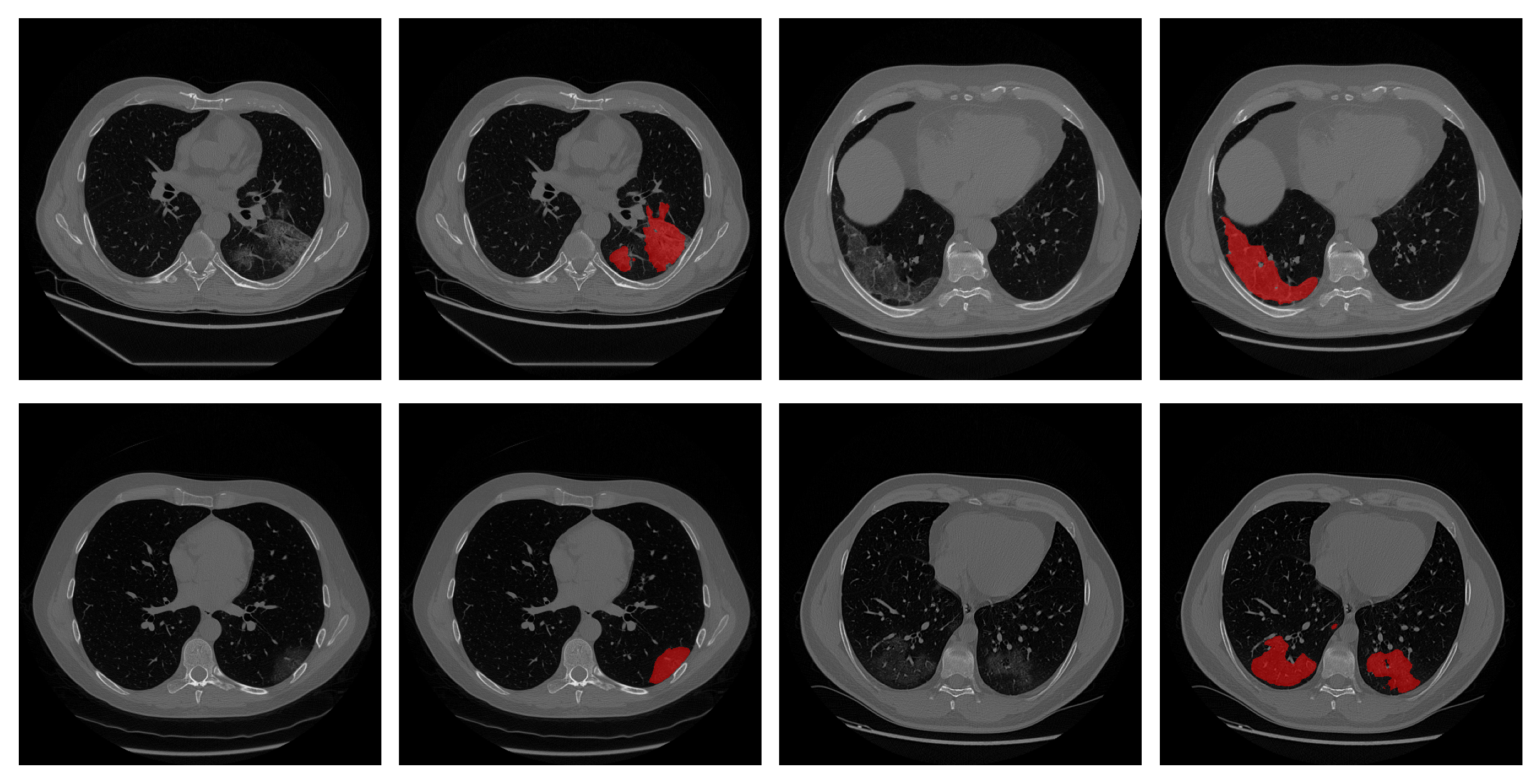
Usage Example
Once you have installed you can directly start to segment the images. Input CT scans must be in Hounsfield units(HU), gray-scale images are not allowed. The input allowed formats are the ones supported by SimpleITK .
Example Data
As Example data, we will use the ones of the public dataset COVID-19 CT Lung and Infection Segmentation Dataset, published by Zenodo. How to organize them depends on the purpose and will be explained for each tutorial.
Firstly, create the Examples folder, which will contain the dataset and the results. After, you will download the .zip containing the data and unzip it.
So, run from bash:
mkdir Examples
wget https://zenodo.org/record/3757476/files/COVID-19-CT-Seg_20cases.zip -P ./Examples
unzip ./Examples/COVID-19-CT-Seg_20cases.zip -d ./Examples/COVID-19-CT
or PowerShell:
New-Item  -Path . -Name "Examples" -ItemType "directory"
Start-BitsTransfer -Source https://zenodo.org/record/3757476/files/COVID-19-CT-Seg_20cases.zip -Destination .\Examples\
Expand-Archive -LiteralPath .\Examples\COVID-19-CT-Seg_20cases.zip -DestinationPath .\Examples\COVID-19-CT -Force
Single Patient Example
To segment a single CT scan, run the following command from the bash or PowerShell :
python -m CTLungSeg --input='.Examples/COVID-19-CT/coronacases_002.nii.gz' --output='./Examples/coronacases_002_label.nrrd'
Which takes as input the CT scan in each format supported by SimpleITK. If the input is a Dicom series, simply pass the path to the directory which contains the series files, please ensure that in the folder there is only one series.
The output label will be saved as ‘.nrrd’.
Multiple Patient Example
The segmentation of multiple patients can be time-consuming and tedious, so we have provided a series of scripts to automate this procedure. Moreover, we have provided a snakemake pipeline. To see their usage, please refer to script and snakemake contents.
Contents: